



Before you start setting up your advertising, it’s worth taking a look at what your competitors are running. This way you can choose placements and find creative ideas to build upon. Here are 2 ways to view competitors’ ads on Instagram.
Method 1: View Ads Directly in the Instagram Profile
You need a phone and the Instagram app
- Go to the account you’re interested in
- In the top right corner, you’ll see 3 dots
- Click “About This Account”
- Tap “Active Ads”


This method rarely works. Apparently, we can only find ads that were launched directly from the app using the “Promote” button. In other cases, the second method will help us.
Method 2: Search for Ads in the “Ad Library”
This method has 2 nuances:
- We need to know what the competitor’s Facebook page is called. The name may not match their Instagram handle.
- Small businesses are harder to find this way. They may simply not appear in search results.
Steps:
- Go to facebook.com/ads/library/
- Enter the competitor company’s name
- Choose the search criteria you need: country, display time, placements (optional)

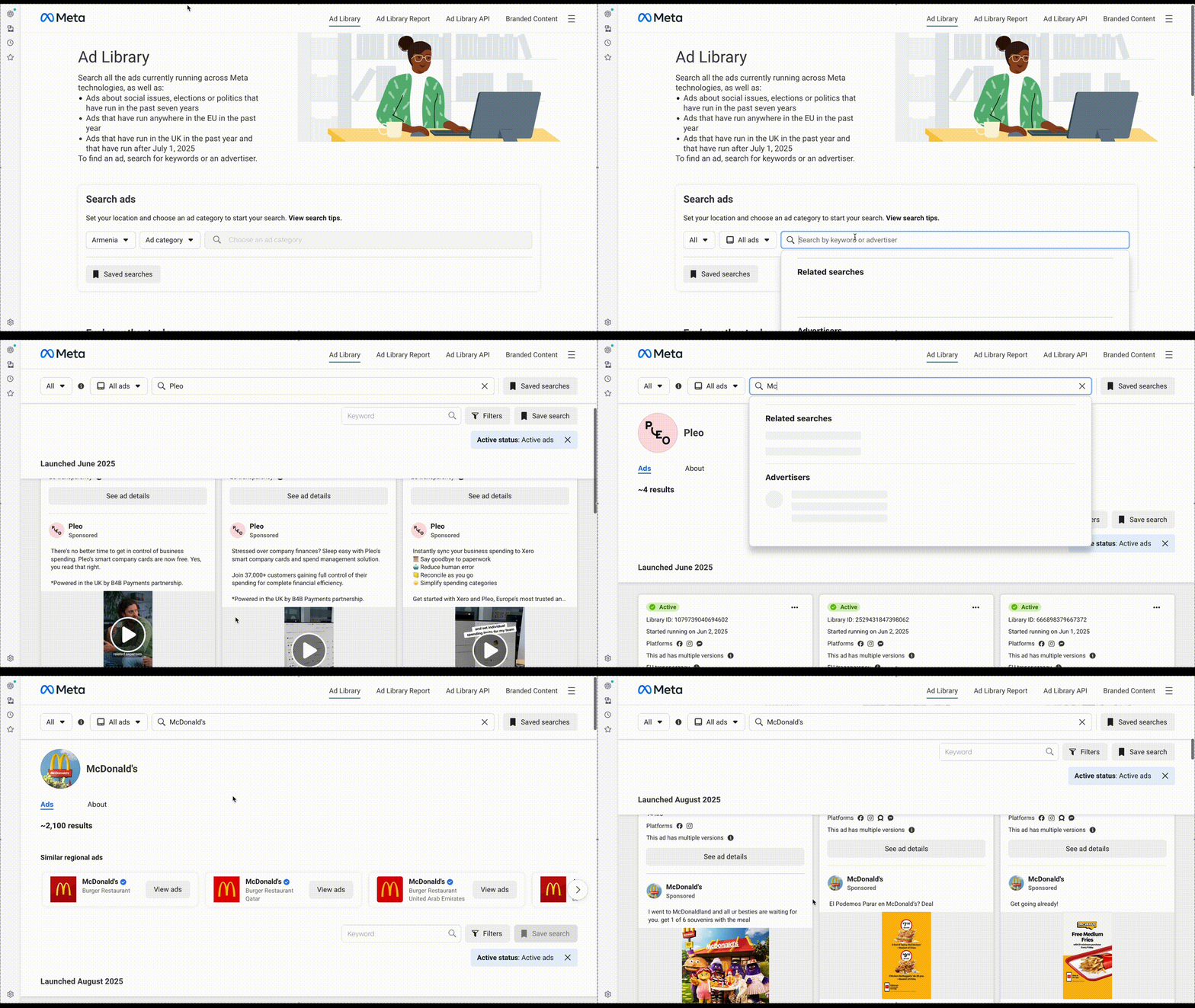
If you know your competitor’s Facebook page but can’t find their ads in this library, try finding the link to it directly on their FB page.
If Both Methods Don’t Work
Then most likely the account simply isn’t running ads. Or they’re doing it through gray methods, using third-party Facebook pages.
In such cases, you can use various spy services that monitor ads and posts from specific profiles. But there are 2 problems with them:
1. They typically won’t show you past ads from a profile.
That is, you’ll only see advertising posts that were launched after paying for and setting up the service. If you don’t have many competitors, you can monitor this manually.
2. These services are paid.
There are free options, but they’re heavily limited. A decent plan will cost you from $50, which is unlikely to pay for itself. Personally, I don’t use them.