



Viewing competitors’ ads on Facebook works pretty much the same as on Instagram. But there are still some small nuances. Let’s figure it out.
Method One: View Ads on a Business Page

All you need is your competitor’s Facebook page. I’ll show you how to do this from desktop, but the same can be done from the mobile app.
- Go to the page you need
- Click “About”
- Look for the “Page transparency” section and the “See all” button
- Scroll the popup window to the very bottom and click “Go to Ad Library”

This method works almost always. But sometimes you can’t find your competitor’s page or they have several pages for different countries. In that case, the second method will work.
Method Two: Search for Ads in the “Ad Library”
The nuance of this method is that it’s difficult to find small businesses. They spend little money on advertising and simply might not appear in the library. In theory, all ads should be there. But in practice, many are missing.
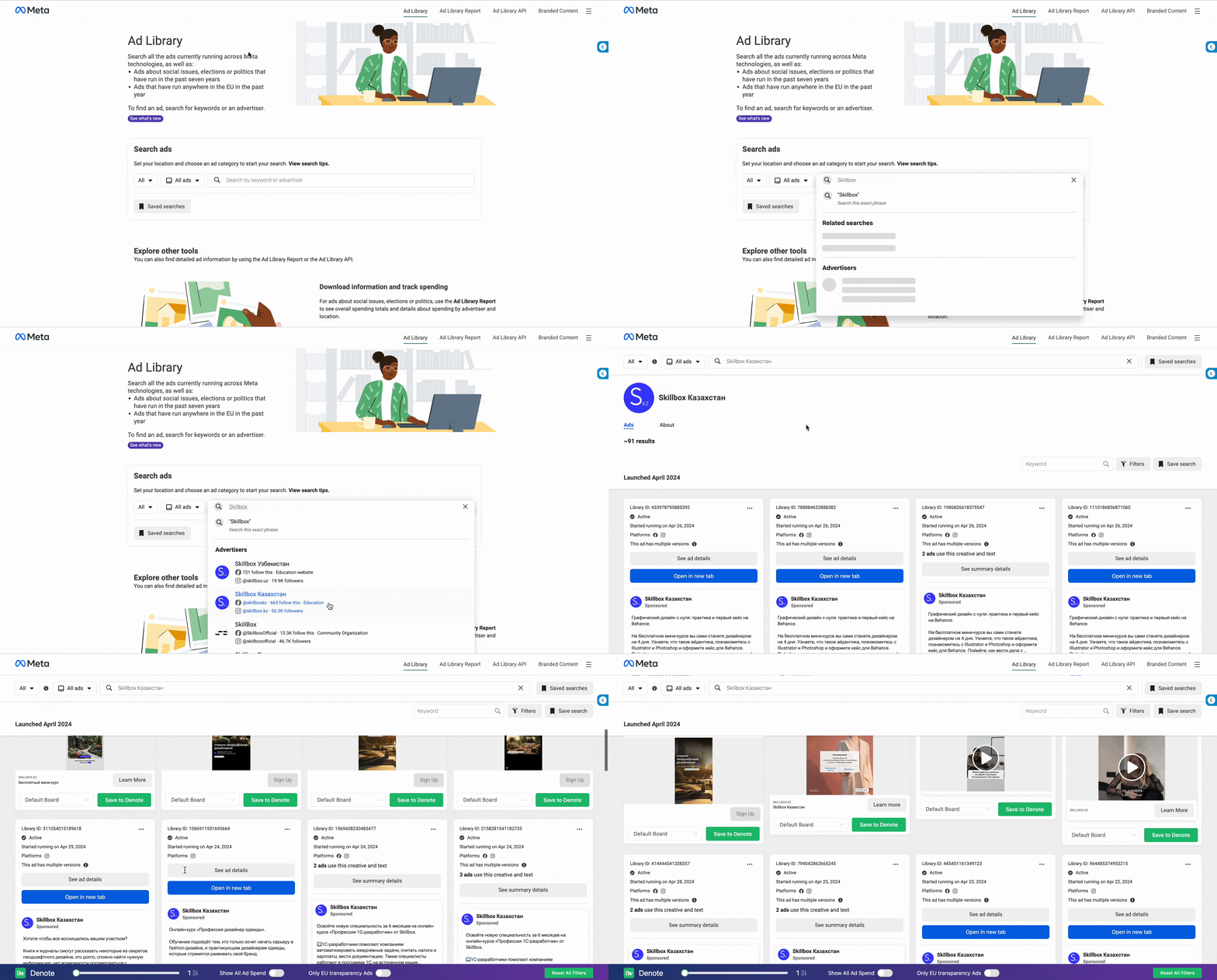
- Go to facebook.com/ads/library/
- Enter your competitor’s name
- Select the necessary search criteria: country, display time, placements
- If nothing is found, try going through different spellings of business page names or Instagram accounts

If Both Methods Didn’t Help
In this case, you can use various spy services that monitor ads and posts from needed profiles. But there are 2 problems with them.
As a rule, they won’t show you a profile’s ads retroactively. You’ll only see those advertising posts that were launched after payment and service setup. If you don’t have many competitors, you can monitor this manually.
And such services are paid. There are free options, but they are heavily limited. A decent plan will cost you from $50, which is unlikely to pay for itself.